
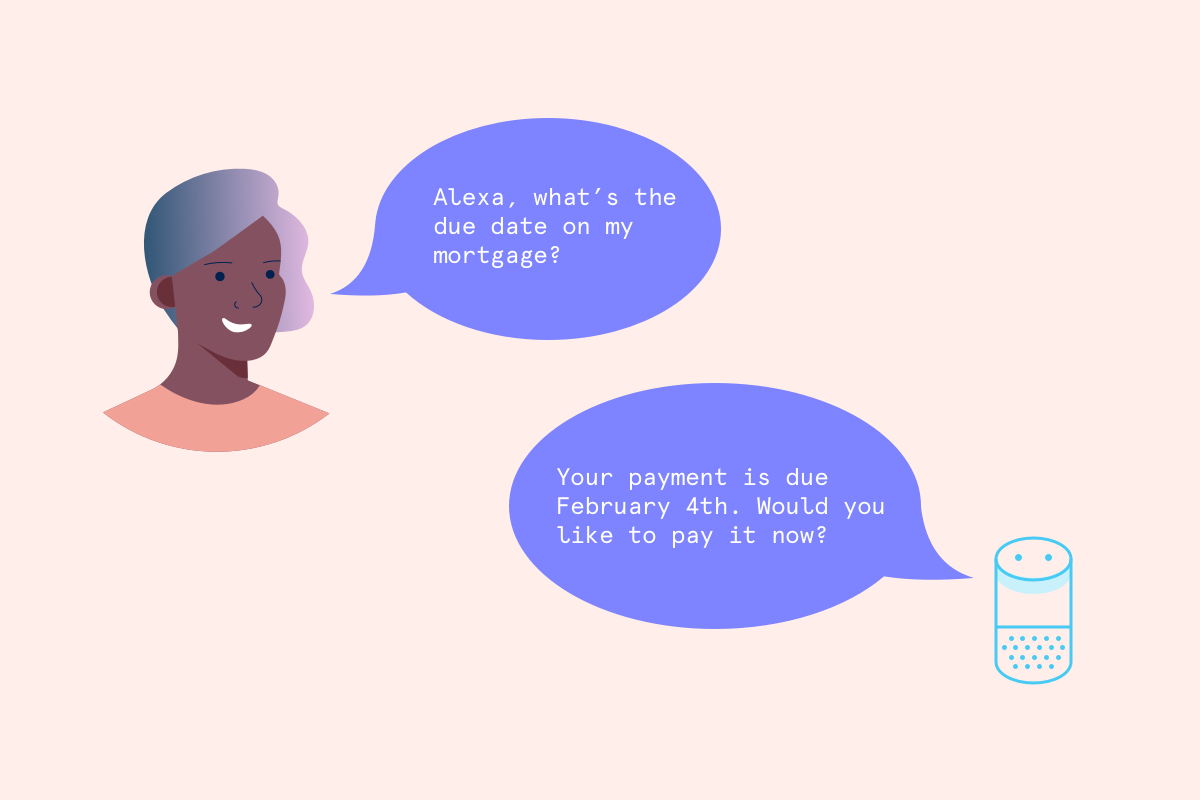
I designed an MVP conversational UX on Amazon’s Alexa to encourage customers to make payments on their home and auto loans through a new channel. We launched these two new features in July 2016.
As a content strategy intern, I worked with the Director of Content Strategy and a Product Manager to continue building Capital One’s voice experiences to help customer access their financial information anywhere, anytime. The Director let me take the reins midway through, looking to me to finish designing and testing the 2 features, and help implement their go-to-market strategy before the public rollout.
What customers can ask Alexa about their home and auto loan accounts:

Home loan voice UX:
- “When is my next mortgage payment?”
- “How much do I have to pay for my next mortgage payment?”
- “Pay this month’s mortgage.”
- “What’s my principal balance for home loan?”

Auto loan voice UX:
- “How much until my car is paid off?”
- “When’s my next car payment due?”
- “How much is my next car payment?”
- “Make my car payment for [month].”
- “What’s the principal balance on my car loan?”
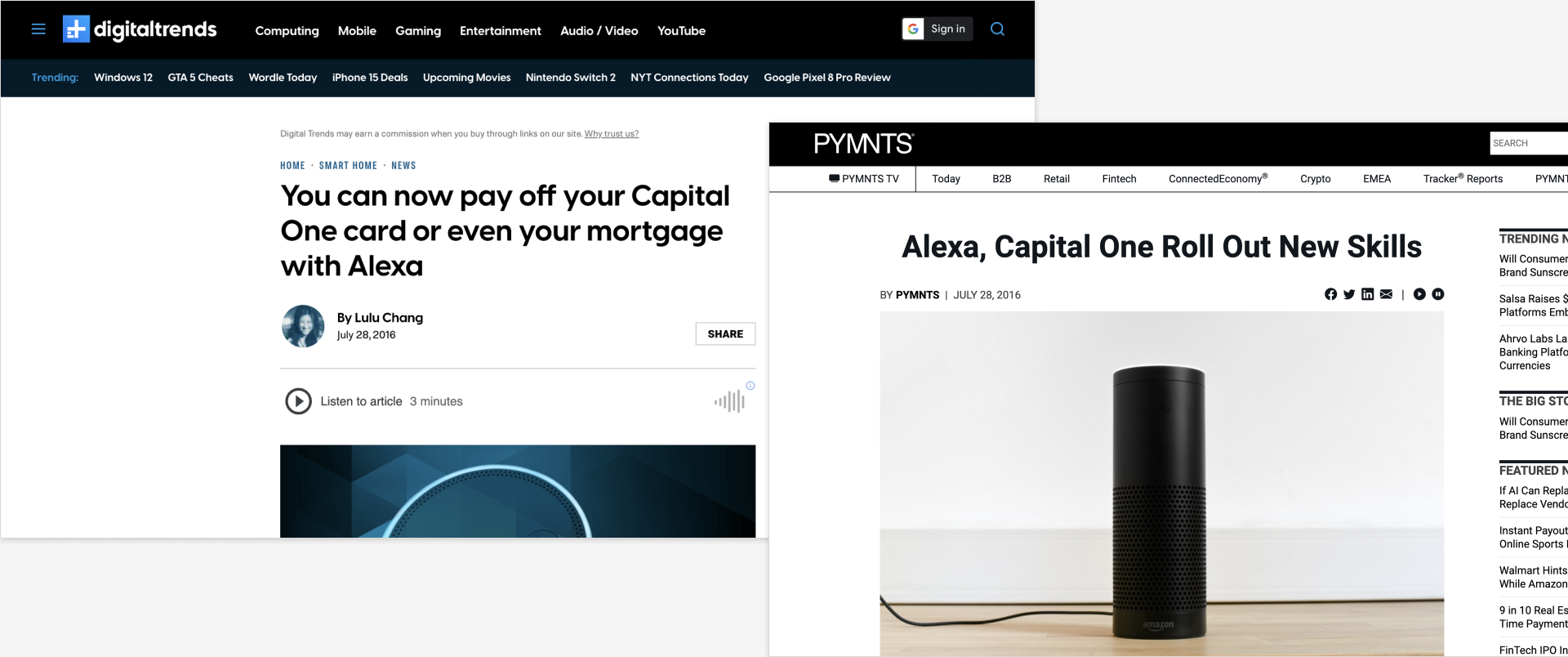
Read more about the launch on Digital Trends, Bloomberg, CNET, Business Insider, and PYMNTS.
An opportunity to provide end-to-end digital experience with other lines of business
Our business partners wanted to reach feature parity with consumer banking and credit card lines of business. This was part of Capital One’s initiative to help customers manage their money on their own terms – which includes serving customers through voice-activated assistants.
Late bill payments increase call center costs
Thousands of Capital One’s customers already call the customer service line just to pay their bills. The company hopes to change that through human-centered banking experiences.
So what….?
By helping customers pay their bills on-time, Capital One’s goal is to build trust and reduce call center volume over time through self-servicing channels – including Amazon’s Alexa.
Launching an MVP in 3 months
By leveraging the company’s proprietary ML/NLP technology, our team was tasked with creating an MVP conversational experience for our virtual assistant on Amazon’s Alexa-enabled devices. A few success metrics we were on the hook for:
Product
Number of Alexa Skill activations
Business
Number of customers who paid their bill through Amazon Echo
Brand & Marketing
Maintain Alexa app store rating of 4.8 stars out of 5
Solution
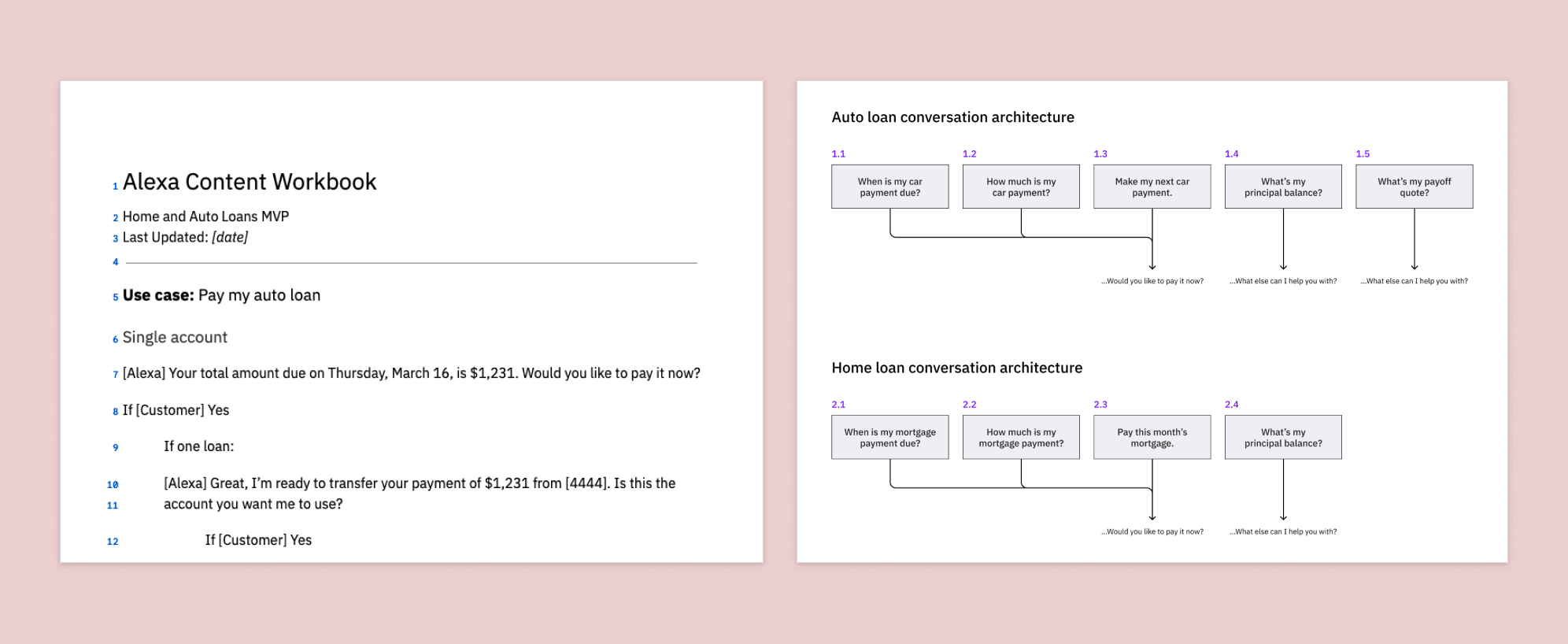
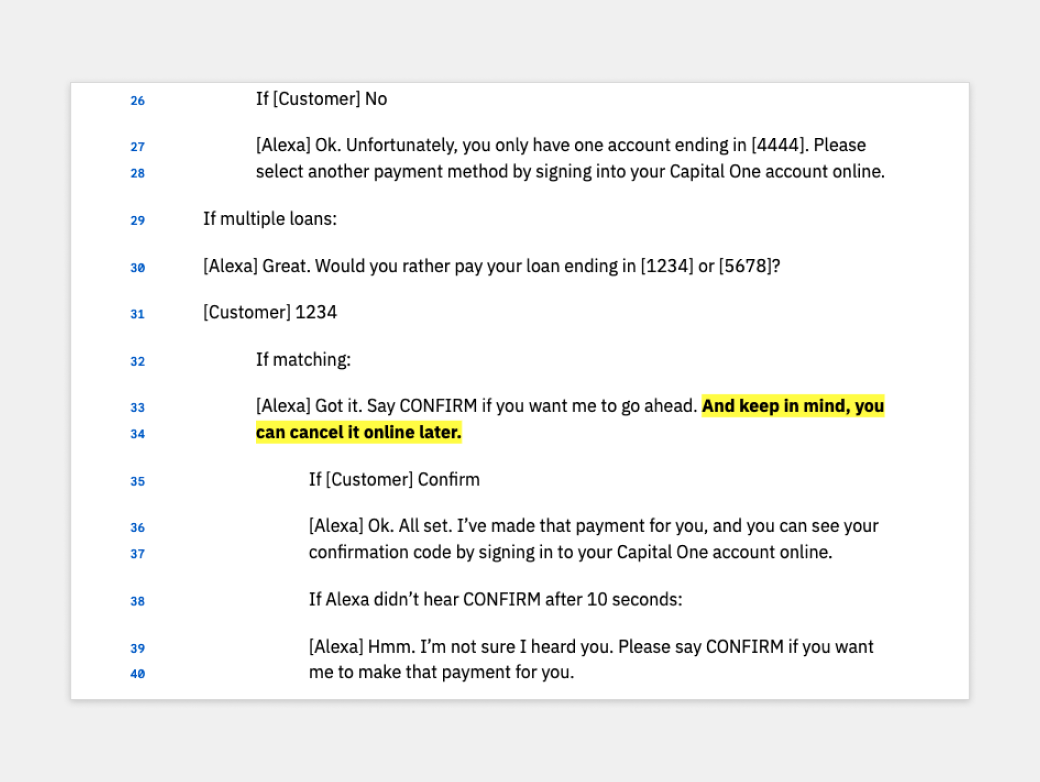
I developed conversational UIs for each use case (customer utterance) with annotations for slots where customer’s financial data would be inserted into the interaction. This took the form of a content workbook which AI developers implemented to train the ML model.
Impact
Since this internship lasted only 3 months, I can’t provide specific quantitative metrics. In the short-term, however, launching the conversational experience fulfilled 2 business objectives:
- Creating PR coverage to enhance Capital One’s brand equity as an innovative financial company
- Use the work and PR coverage to drive talent acquisition among its various internship programs and recent college graduates
Approach
What makes designing conversational interfaces challenging?
Customers might ask a question in many different ways and expect Alexa to understand their intent. When Alexa doesn’t, it lowers its utility, which could lead to lower engagement. As a result, customers couldn’t experience the full value of our features if they don’t use the Alexa Skill at all.
On the other hand, we want Alexa’s response to be as useful as possible without overwhelming the customer so they ask follow-up questions.
Customer Problem
- Don’t know what they can ask Alexa about their account
- Hard to remember and interpret information output from Alexa
Business Problem
- Encourage timely payments
- Build trust and engagement with customers through a new channel
In other words, to make the experience useful, usable, and engaging…
- Balance appearing smart without exceeding the system’s ability to be smart
- Pay attention to voice cadence and inflection as well as word choice
- Ask: “Do people even want to do/hear this?”
A framework for categorizing conversational patterns
Alexa needed to correctly understand customers’ varying intents so it can invoke the right conversational experience that solved their problem. But we shouldn’t penalize them for using the “wrong” queries and syntax; we should anticipate and meet them where they are.
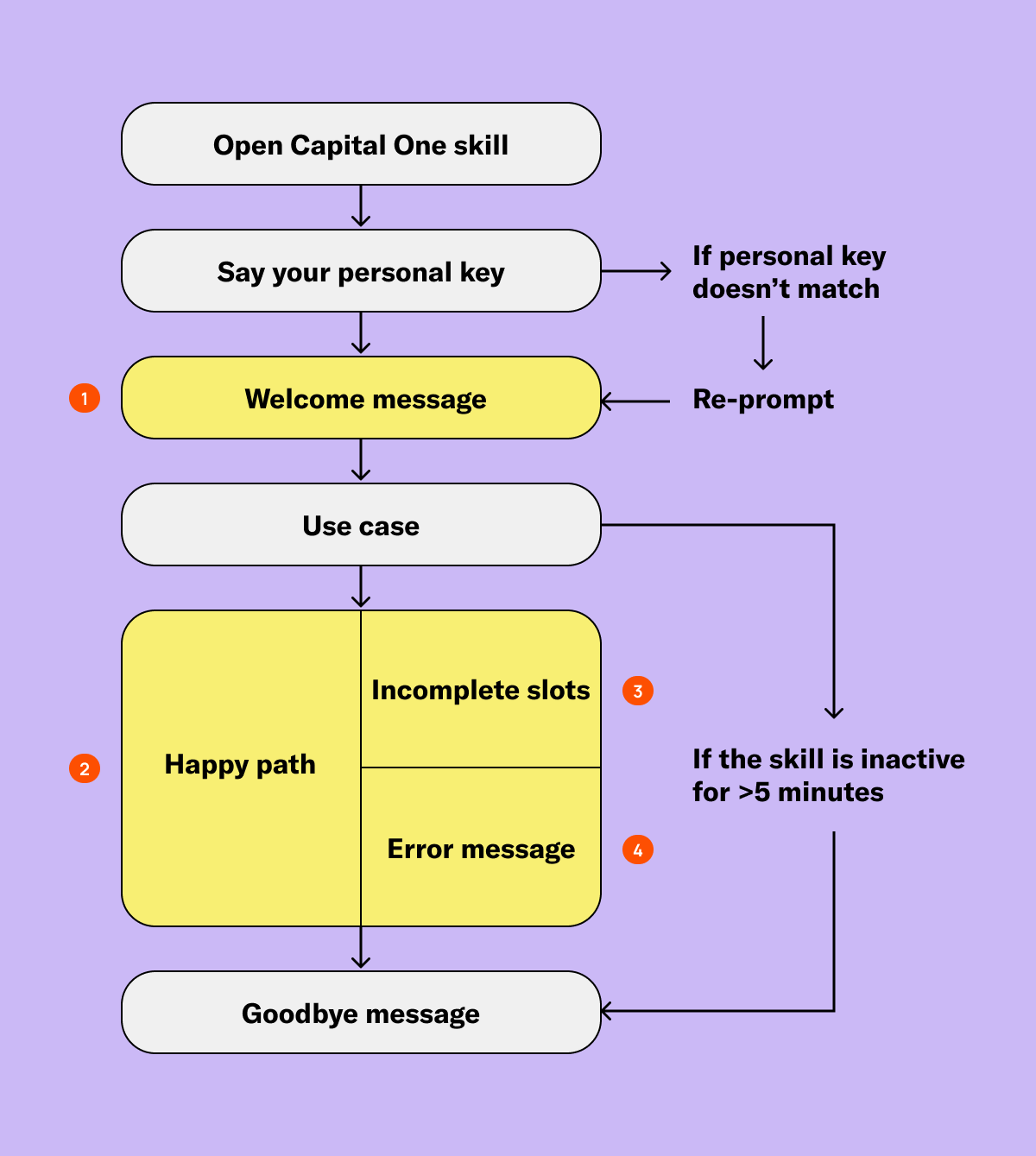
I devised 4 categories of “state of awareness” we may have to design for in order for the conversation to be productive.
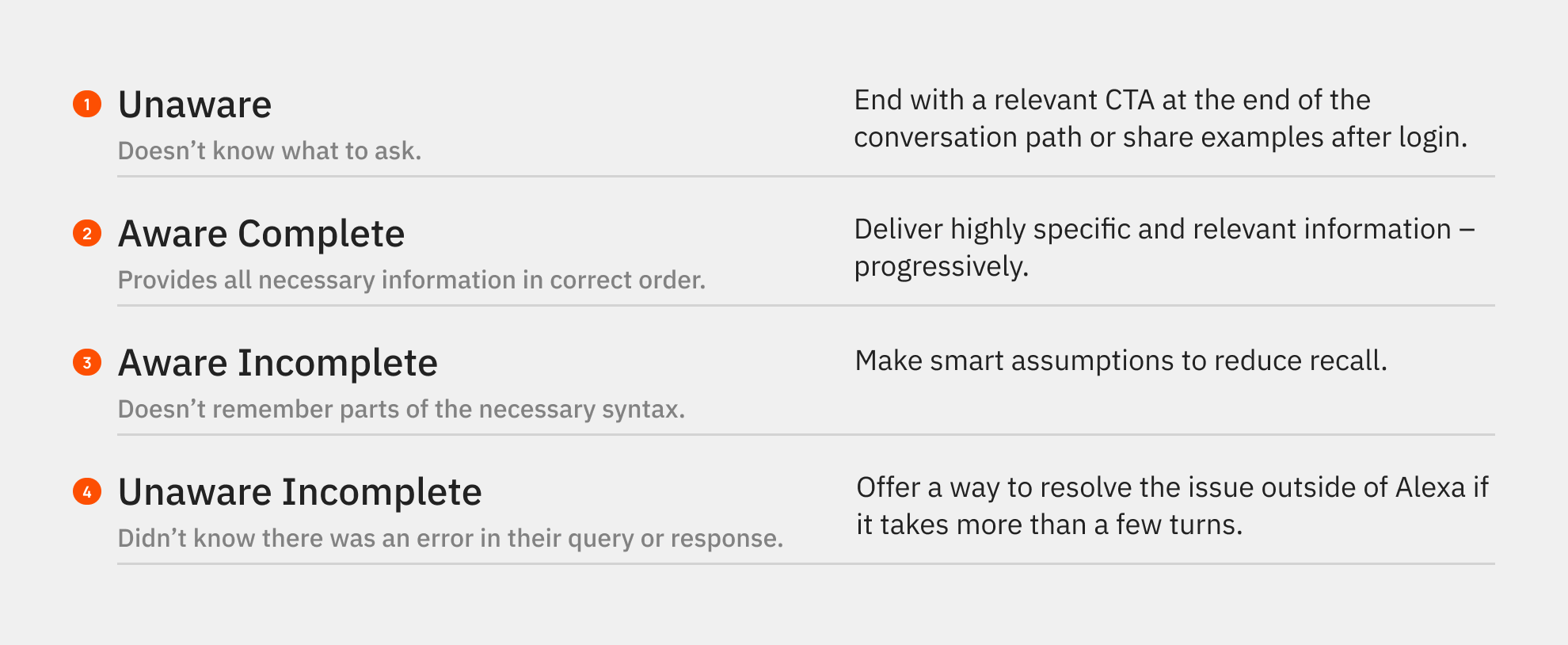
I also mapped the strategies to different points in the conversation flow where they could help reduce friction. The trick is to keep customers talking. If they stop talking, we stop learning what they want to do next.
Hypothesis-driven conversation design
To anticipate potential topics that Alexa may have to understand, I asked “what if” questions around each intent. Then I grouped related intents together that could become a conversation path.
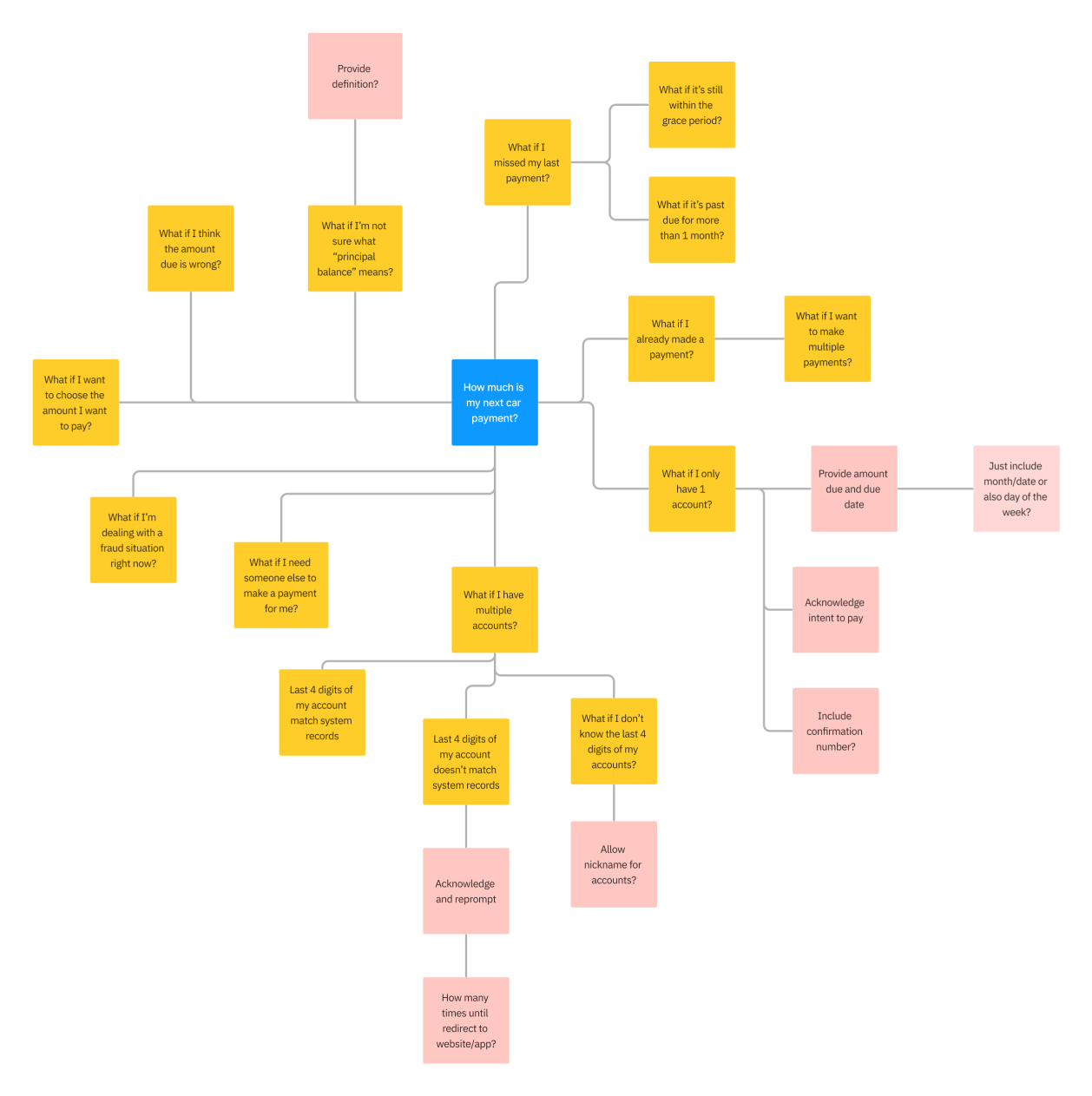
The mindmapping activity helped us scope the MVP use cases and identify hypotheses to test. Each hypothesis acted as a signal for validating a user need. By treating every conversation path as a hypothesis, it reduced the risk of over-designing an interaction that created more work for developers but made little impact on achieving customer and business goals.
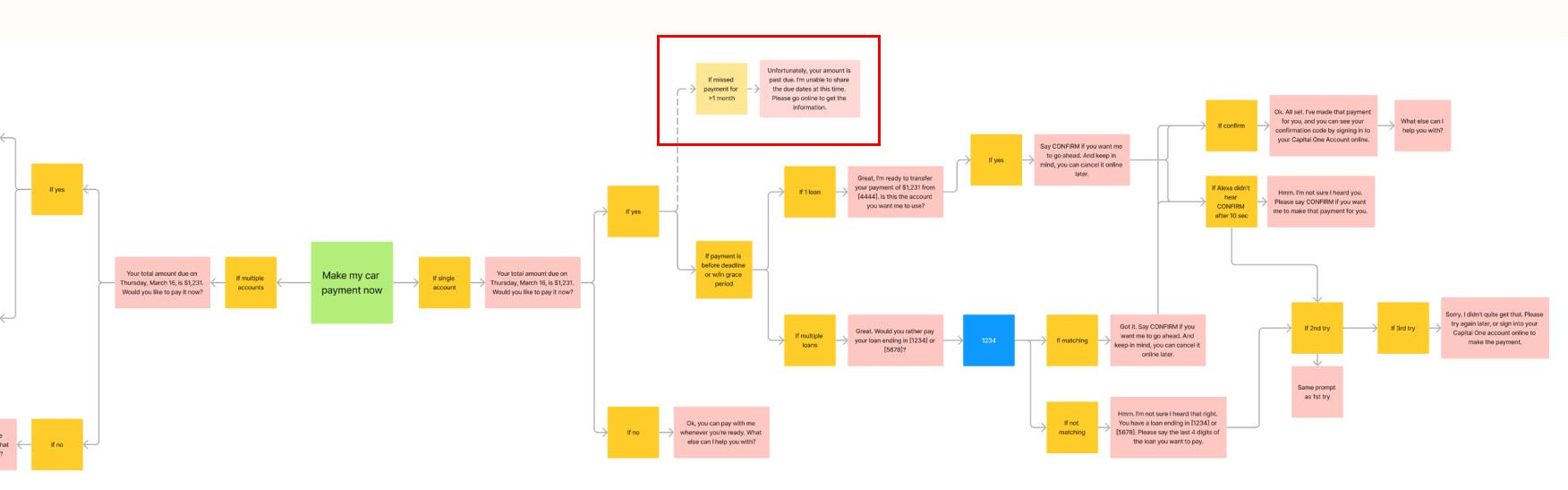
I started designing the conversation using an If-Then structure to isolate the hypothesis at each node. The If-Then structure clearly laid out the information architecture of the voice experience that we could later test.
Content prototyping to reduce cognitive burden
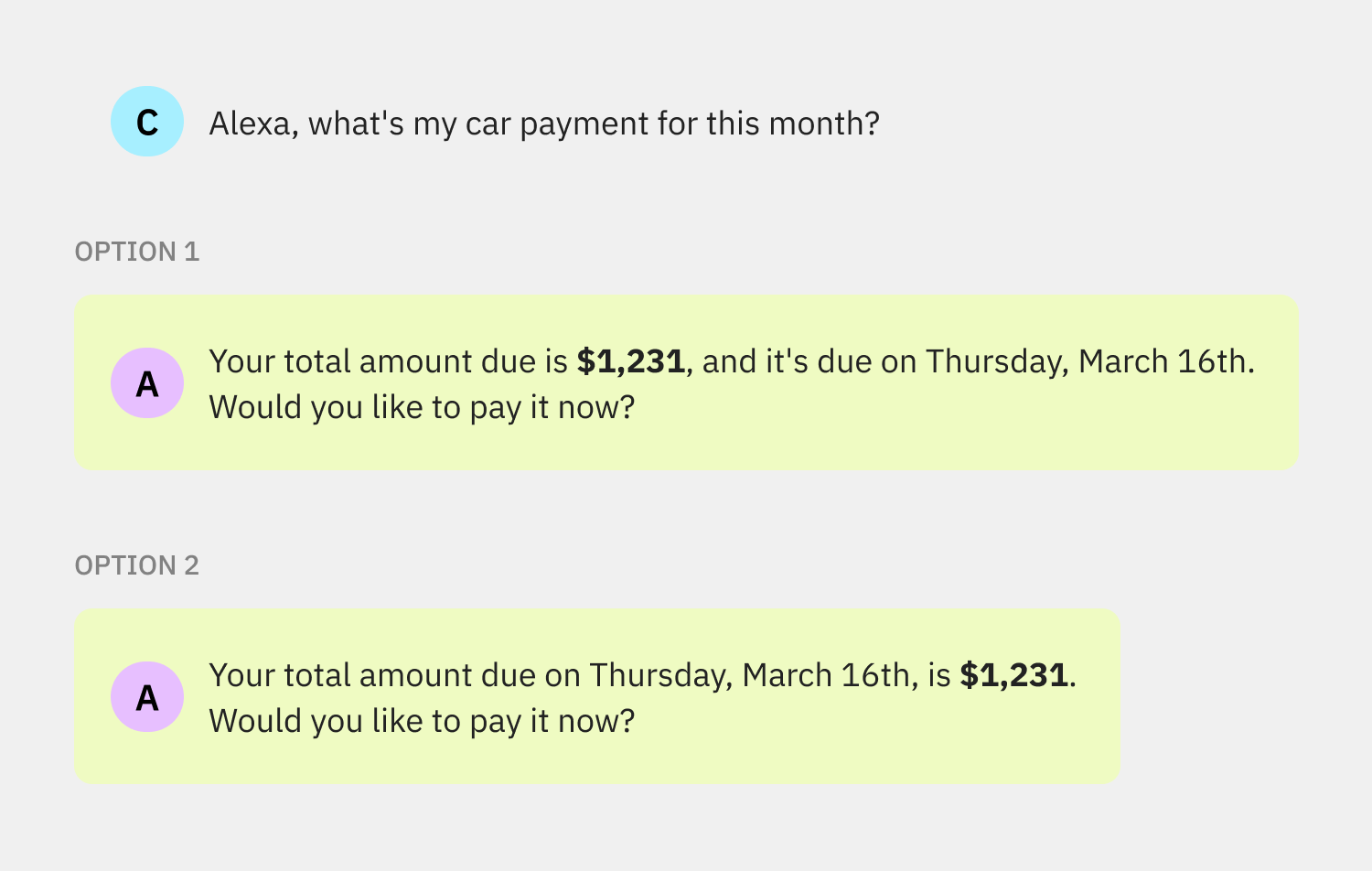
Words are the cheapest material to prototype with. To design each UI string more intentionally, I separated it into its constituent parts – nouns and verbs. We don’t want to use generic, meaningless, or “unnatural” language that will work for the system but not for a human.
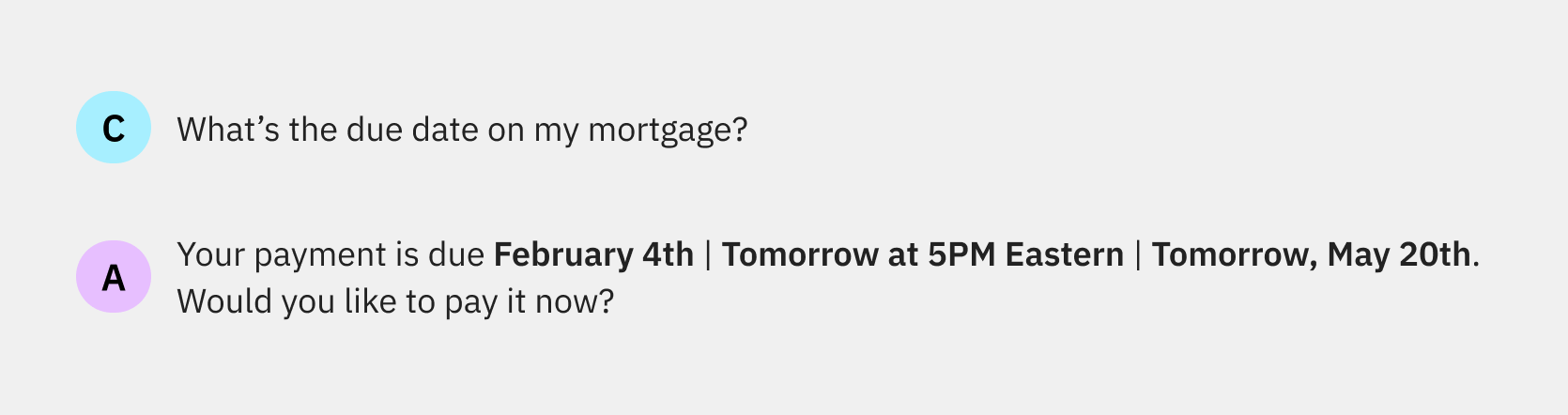
I also explored sequencing nouns and verbs into different orders to ease strain on human memory. If customers have to ask Alexa to repeat information all the time, it would not be a usable experience.
Conversational UI testing and QA
I worked with the product manager to test our content hypotheses with customers to ensure the language and interaction were mindful of people’s emotions towards money.
I worked with the engineering team to stage and QA the conversational UX. I also updated the FAQ section on Capital One’s website and wrote copy for Capital One’s Skill profile on the Alexa mobile app as part of the go-to-market plan.
Customer feedback
The product manager and I gathered new utterances to link to MVP use cases and implemented feedback from testing.
Voice UX integration
I integrated new conversational UI features into the existing voice UX so they didn’t negatively impact other lines of business.
Voice simulator
I ran the conversation script through Alexa’s voice simulator to adjust pacing, enunciation, and voice inflection.
Skills certification
I worked with the AI engineering team to implement recommendations from Amazon’s Skill Certification Team to meet their voice service standards.

Lessons Learned
Design for learning: People satisfice in different ways. “Nailing it” means something different for everyone. Ultimately we are modeling people, not systems. We use the system to refine our understanding about the people we’re serving.
Practice object-oriented thinking: In voice UI, literally every word is data. Treat every sentence or word as a hypothesis to test.
Challenge convention: Don’t be limited by the technology or systems in place. Technology should work around people, not limit them.
 Clem Auyeung | Content Engineering and Design